 By Saurav Mehra
 A school in a Tier-2 Indian city genuinely faces this exact procurement dilemma every year, buy Chromebooks that boot in seconds and rarely need technical support, or invest in Windows laptops that handle every possible software need but demand considerably more maintenance and cost meaningfully more per device. This decision genuinely extends well beyond schools too, students, remote workers, and anyone buying their first personal laptop genuinely face the same fundamental question, do you actually need Windows’ full capability, or would a simpler, cheaper Chromebook genuinely serve your daily needs just as well?
Here’s why this comparison genuinely deserves honest self-assessment rather than assuming one platform is universally superior: Chromebooks and Windows laptops genuinely represent fundamentally different philosophies, one succeeds by doing less, but doing it very well, while the other supports virtually unlimited software flexibility at the cost of considerably more complexity and expense. Understanding which philosophy genuinely matches your actual daily computing habits determines whether you save money without sacrificing anything you’d genuinely miss, or whether you’d genuinely feel limited within days of switching.
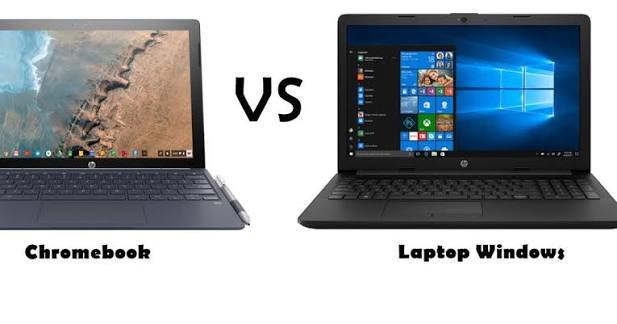
Why Chromebooks Genuinely Excel for Browser-Based, Simple Computing
This is genuinely Chrome OS’s defining strength, and it explains why the platform has succeeded so considerably despite its narrower software support. For users whose entire workflow lives in a browser and Google apps, a considerably cheaper Chromebook genuinely outperforms a much pricier Windows laptop at the tasks that actually matter to them. Chrome OS boots in seconds, updates silently in the background, rarely gets viruses, and runs perfectly on genuinely modest, affordable hardware, making Chromebooks especially practical for students, remote workers, and anyone whose daily computing genuinely revolves around email, web browsing, document editing, and streaming.
This simplicity genuinely extends into cost savings too, entry-level Chromebooks starting around ₹15,000 to ₹20,000 deliver genuinely excellent performance for web-based tasks, while an equivalent Windows laptop at similar pricing often struggles running a considerably heavier operating system on comparable hardware, essentially making you pay what amounts to a “bloatware tax” for capability you’ll genuinely never use.
Why Windows Genuinely Remains Essential for Specialised Software and Offline Work
It’s genuinely worth being fair to Windows here, since it clearly wins on capabilities Chromebooks simply cannot match. Windows laptops offer full desktop application support, Adobe Creative Cloud, professional CAD programs, MATLAB, specialised engineering tools, and legacy business software, representing decades of software development that Chrome OS’s primarily browser-based approach genuinely cannot replicate. For students in engineering, architecture, or any field requiring genuine desktop-only software, Windows genuinely becomes the required choice regardless of Chromebook’s other advantages.
Windows also genuinely wins decisively for extensive offline productivity, while Chrome OS now supports offline Google Docs, Sheets, and select Android apps, uninterrupted access to software without internet connectivity still genuinely favours Windows considerably, an important consideration given how unreliable internet connectivity remains in many Indian tier-2 and tier-3 cities.
Why Schools Genuinely Find Chromebooks Practical for Classroom Deployment
This matters considerably for Indian educational institutions specifically making device procurement decisions. Budget Windows laptops in the ₹15,000 to ₹20,000 range often deliver less than 5 hours of battery life in real classroom use, a genuine practical problem for schools without per-desk charging infrastructure. Chromebooks genuinely win here, offering considerably better battery endurance and requiring less technical supervision, especially relevant for institutions managing dozens or hundreds of student devices without extensive IT support staff.
That said, it’s genuinely worth checking compatibility carefully before committing, some assessment platforms and exam-specific tools are specifically designed for Windows browsers, meaning schools should genuinely verify their specific exam platform’s Chrome OS compatibility before deploying Chromebooks exclusively for exam-related use.
Understanding the Genuine RAM Requirements for Comfortable Chromebook Use
This is worth knowing precisely rather than assuming any Chromebook configuration works equally well. 4GB RAM handles roughly 10 to 12 Chrome tabs comfortably, but beyond that, Chrome genuinely starts swapping memory and performance degrades noticeably. If you regularly keep 15 or more tabs open, use Google Meet while browsing simultaneously, or rely on Android apps alongside Chrome, upgrading to 8GB RAM genuinely makes a meaningful difference in daily comfort, worth the modest additional cost over the base 4GB configuration.
Why Long-Term Software Update Support Genuinely Deserves Consideration
This is a genuinely underappreciated factor worth understanding before buying either type of device, particularly secondhand or refurbished. Google commits to security updates for Chromebooks for a defined period, typically around 8 years from launch, after which devices stop receiving Chrome OS updates and genuinely become security liabilities. This means older or used Chromebook models may have update expiration dates approaching within just 12 to 18 months, making them genuinely poor investments despite their attractively low upfront price, worth checking specifically before purchasing any secondhand Chromebook.
Why Many Users Genuinely Find Value in Owning Both
This is genuinely worth knowing as a practical middle-ground approach some households have adopted. Many users in 2026 find genuine value in owning both, a Windows laptop or desktop for demanding, software-specific tasks, and a lightweight Chromebook for travel and casual use. This combination genuinely lets you access Windows’ full software capability when genuinely needed, while enjoying a Chromebook’s superior portability, battery life, and low-maintenance simplicity for everyday browsing and lighter tasks.
Making the Genuinely Right Choice for Your Specific Needs
If your daily computing genuinely revolves around browsing, Google Workspace, and streaming, without needing specialised desktop software, a Chromebook genuinely delivers everything you need at considerably lower cost and complexity. If you need specific professional software, extensive offline capability, or you’re studying in a field requiring Windows-exclusive tools, Windows genuinely remains the practical, necessary choice despite its higher cost and complexity.
Frequently Asked Questions
Q1. Can I genuinely use Microsoft Office on a Chromebook, or do I need Windows specifically?
Yes, genuinely, Chrome OS handles Microsoft 365 through both the full web app experience and native Android application versions, meaning most students and casual users can access core Office functionality without needing a Windows laptop specifically.
Q2. Is a Chromebook genuinely secure enough for daily student use in India?
Yes, generally, Chromebooks rarely get viruses and receive silent background security updates for a defined support period, typically around 8 years, though it’s worth checking a specific model’s update expiration date before purchasing, especially secondhand devices.
Q3. Should schools in Indian tier-2 and tier-3 cities genuinely prefer Chromebooks over Windows laptops?
Often yes, particularly given unreliable charging infrastructure and limited IT support staff, Chromebooks genuinely offer better battery life and lower maintenance needs, though schools should verify their specific exam platforms are Chrome OS compatible before deploying Chromebooks exclusively for assessment purposes.
Q4. Is it genuinely worth owning both a Chromebook and a Windows laptop instead of choosing just one?
For some users, yes genuinely, particularly those needing Windows’ full software capability occasionally but wanting a lighter, longer-battery device for daily travel and casual use, though this obviously requires a larger combined budget than choosing a single device.