 By Saurav Mehra
 Aditya Birla Sun Life Mutual Fund (ABSLMF) provides investors with three primary digital access channels for managing their folio-based mutual fund holdings: the ABSLMF website at mutualfund.adityabirlacapital.com, the ABSLMF mobile app (Aditya Birla Sun Life Mutual Fund), and the Aditya Birla Capital super app which consolidates the broader Aditya Birla Capital financial services ecosystem. Each serves a slightly different use case — the website for full-featured desktop account management, the mutual fund app for mobile portfolio tracking and transactions, and the ABSL Capital super app for investors who also hold insurance, loans, or other Aditya Birla Capital products. This guide covers the complete login and account access process for each channel.
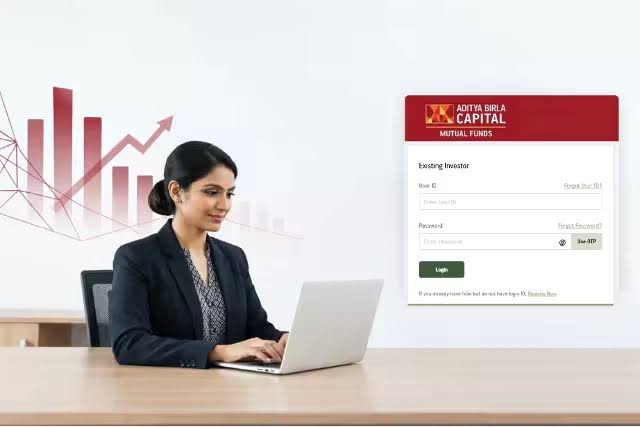
Method 1: ABSLMF Website Login
Step 1 — Navigate to the Official Portal: Open your browser and go to mutualfund.adityabirlacapital.com — ABSLMF’s official investor portal. Verify the HTTPS padlock before entering any credentials.
Step 2 — Click Investor Login: The Investor Login button is prominently placed on the homepage. Click it to reach the login screen.
Step 3 — Enter Your Mobile Number or Email: ABSLMF’s login accepts either your registered mobile number or registered email address as the primary identifier. Enter whichever is registered with your folio.
Step 4 — Enter Password: Type your account password. If you have not previously set a password, use the Generate Password option — see the password creation section below.
Step 5 — OTP Authentication: After password entry, an OTP is sent to your registered mobile. Enter it within the validity window to complete the Two Factor Authentication and access your account.
Step 6 — Dashboard Access: Your ABSLMF investor dashboard displays all active folios, holdings across schemes, current market value, invested amount, and overall return. From here, navigate to Start SIP, Invest (Lump Sum), Redeem, Switch, or Manage Profile.
First-Time Login and Password Generation
New account holders who have not previously logged in online must first generate their digital password. On the login page, click “Generate Password” or “New to Portal.” Enter your registered mobile number and PAN card number. An OTP is sent to your registered mobile. Verify with OTP. Set a new password following ABSLMF’s requirements: typically 8 to 16 characters including uppercase letters, lowercase letters, numbers, and at least one special character. Log in with your mobile/email and the newly created password.
Method 2: ABSLMF Mobile App Login
Download: Search “Aditya Birla Sun Life Mutual Fund” on Google Play Store or Apple App Store. Install the official app published by Aditya Birla Sun Life AMC Ltd.
Initial Setup: Open the app. Enter your registered mobile number. Verify via OTP. Link existing folios using your PAN card number. Set an app-specific MPIN (4 to 6 digits) for faster subsequent access.
Regular Login: Enter your registered mobile number, then use MPIN for fast authentication. Biometric login (fingerprint or face recognition) can be enabled under Settings → Security → Enable Biometric Login after the first successful full-credential login.
Features in App: View portfolio holdings with real-time NAV. Start or modify SIPs with UPI autopay. Place lump sum investments. Redeem or switch between schemes. Download account statements. Update nominee and contact details.
Method 3: Aditya Birla Capital Super App
The Aditya Birla Capital super app consolidates all Aditya Birla Capital financial products — mutual funds, insurance, loans, and investments — in a single login. For investors using multiple ABSL financial products, this unified view reduces the need for separate app logins. Download from Play Store or App Store under “Aditya Birla Capital.” Login with Aditya Birla Capital registered credentials. Navigate to Mutual Funds section for ABSLMF portfolio management.
Forgotten Password Recovery
On the login page, click “Forgot Password.” Enter your registered mobile number and PAN. An OTP is sent to your registered mobile. Verify OTP. Set a new password. If your registered mobile number has changed, visit the nearest ABSLMF Investor Service Centre or call customer care at 1800 270 7000 with PAN and identity documents to update the mobile number before resetting the password.
Downloading Account Statements
After login: Navigate to My Portfolio → Account Statement → Select statement type (Transaction Statement or Capital Gains Statement) → Choose date range → Submit. The statement is delivered to your registered email as a password-protected PDF. The PDF password for ABSLMF statements is typically the first four characters of your registered email in lowercase followed by your date of birth in DDMMYYYY format — confirm from the accompanying email.
Overview Table: ABSLMF Login Access Points
| Channel | URL or App | Login Method | Best For |
| ABSLMF Website | mutualfund.adityabirlacapital.com | Mobile/Email + Password + OTP | Desktop; full account management |
| ABSLMF Mobile App | ABSLMF App (Play Store/App Store) | Mobile OTP → MPIN/Biometric | Mobile transactions; daily tracking |
| AB Capital Super App | Aditya Birla Capital App | ABSL Capital credentials | Multi-product users; consolidated view |
| Forgot Password | Login page → Forgot Password | PAN + Mobile OTP | Password recovery |
| Customer Care | 1800 270 7000 | Identity verification | Mobile update; complex queries |
Frequently Asked Questions (FAQs)
Q1. What is the ABSLMF investor portal URL?
mutualfund.adityabirlacapital.com — the official ABSLMF investor portal. Always verify the URL before entering credentials.
Q2. What do I do if my OTP is not arriving?
Check mobile signal and inbox capacity. Click Resend OTP after 30 seconds. If the OTP consistently does not arrive, your registered mobile may need to be updated — call 1800 270 7000.
Q3. Can I invest directly from the ABSLMF app?
Yes — start SIPs, make lump sum purchases, switch between schemes, and redeem units directly from the ABSLMF mobile app with UPI autopay for seamless payment.
Q4. What is the PDF statement password for ABSLMF?
Typically the first four characters of your registered email address in lowercase followed by your date of birth in DDMMYYYY format. Confirm from the email accompanying the statement as the format may be updated.
Q5. Is the ABSLMF app available for both Android and iOS?
Yes — “Aditya Birla Sun Life Mutual Fund” is available on Google Play Store (Android) and Apple App Store (iOS).